

Video has become the dominant language of the internet. From brand storytelling and YouTube tutorials to TikTok ads and online courses, audiences expect visual content — and they expect it constantly. The challenge is that traditional video production takes significant time, skill, and money that most individuals and small teams simply don’t have.
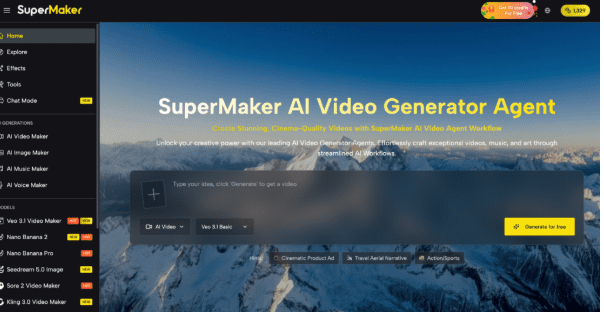
Today’s AI video maker technology eliminates every one of those barriers, letting anyone go from a blank page to a publish-ready video in just minutes. AI Video Maker is one of the most capable all-in-one platforms making this possible, combining video generation, voiceover, music, and editing in a single browser-based workspace — no software installation required.
The Real Barriers Beginners Face With Video Creation
Most first-time video creators hit the same wall. Understanding these pain points is the first step to overcoming them:
- No editing experience: Tools like Premiere Pro or DaVinci Resolve have steep learning curves that take months to master.
- No equipment: Cameras, microphones, and lighting setups represent upfront costs that are unrealistic for solo creators or small businesses.
- No time: Even a three-minute explainer video can require hours of scripting, recording, editing, and exporting.
- No audio skills: Sourcing background music, recording clean voiceovers, and syncing audio to visuals is a discipline in itself.
- No consistency: Producing content regularly — at the pace, social media demands — quickly overwhelms any manual workflow.
These aren’t just inconveniences. For businesses and creators, they directly translate into missed opportunities, slower growth, and content gaps that competitors are happy to fill. An AI video maker is the practical solution to all five.
What SuperMaker AI Video Maker Can Actually Do
SuperMaker’s AI Video Maker is built around a complete, cinema-grade production pipeline — not just a clip generator. Every step from concept to export is handled inside one platform, which is what sets it apart from lighter tools that only address one part of the workflow.
Text-to-Video and Image-to-Video Generation
The platform’s core engine accepts two types of creative input. With Text-to-Video, you type a prompt, a scene description, or a full script, and SuperMaker’s AI generates a matching video sequence with dynamic visuals and seamless storytelling. With Image-to-Video, you upload any static photo or illustration and the AI animates it into a flowing video clip. Both modes are powered by the same advanced AI video generator optimized for cinema-quality visual fidelity and consistent character rendering across scenes.
Integrated Audio: Voice, Music & Sound Effects
Unlike tools that produce silent video clips, SuperMaker is built with fully synchronized audio from the ground up. The platform includes:
- AI Voice Maker — generates natural-sounding voiceovers in multiple languages and styles directly from your script
- AI Music Maker — create original, royalty-free background music with adjustable mood, genre, and tempo
- Automated Sound Effects — layer ambient audio and impactful SFX that sync precisely to your footage
This means you never need to source outside audio assets or pay for stock music licenses.
Customizable Workflows & Asset Management
For creators who produce content regularly, SuperMaker’s Customizable AI Workflows let you define an automated sequence — generate script → build scenes → add voiceover → compose music → assemble final video — and run it with one click. All generated assets are stored in a personal Assets Library with full versioning support, so every video, image, and audio track remains reusable and organized.
How to Use SuperMaker AI Video Maker
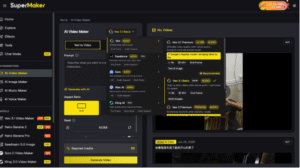
Getting started with an AI video maker for the first time takes less than five minutes with SuperMaker. Here’s the complete beginner workflow:
- Go to SuperMaker AI — Visit the platform. No account signup is required to begin, and a free plan is available immediately.
- Enter your prompt — In the Text-to-Video input, describe your video concept in plain language. Example: “A 30-second product walkthrough for a skincare brand, warm lighting, upbeat tone.” The more specific your prompt, the more accurate the output.
- Select your output settings — Choose your preferred aspect ratio (landscape for YouTube, vertical for Reels or TikTok, square for Instagram), resolution, and video duration.
- Click Generate — SuperMaker’s AI video generator renders your footage. Results typically arrive within seconds to a few minutes.
- Add audio — Use the built-in AI Voice Maker to generate a voiceover from your script, and the AI Music Maker to compose a matching soundtrack.
- Review and export — Fine-tune any scene using the editing tools, then export your finished video as an MP4 ready for any platform.
AI Video Maker Tools: Which One Is Right for Beginners?
Choosing your first AI video maker is easier when you know what to look for. Here’s how the leading options compare for beginners:
| Tool | Core Strength | Best For | Free Plan |
| SuperMaker AI | All-in-one: video + voice + music + image + editing | All skill levels, any content type | Yes — no signup needed |
| Runway ML | Advanced video editing & effects | Experienced editors | Limited trial |
| Synthesia | AI avatar presenters | Corporate training content | Demo only |
| Pictory | Blog-to-video conversion | Content repurposers | Yes (watermarked) |
| InVideo AI | Template-based social clips | Social media beginners | Yes (watermarked) |
For a true beginner, the most important factor is how much of the workflow is handled inside one platform. SuperMaker’s all-in-one integration — covering video, audio, images, and editing without any third-party tools — makes it the most complete starting point, especially given its genuinely accessible free tier.
Start Creating
Learning to produce great video content no longer requires years of training or thousands in equipment. With a modern AI video maker, the barrier to entry is essentially zero. If you’re ready to create your first professional-quality video today, head to SuperMaker AI and start for free — no credit card, no downloads, no prior experience needed. Your first video might surprise you.