

Video content has become one of the most effective ways to communicate with audiences online. Businesses, content creators, and marketers rely on videos to promote products, share information, and build strong connections with their audiences. However, traditional video production often requires expensive equipment, professional editors, and a lot of time.
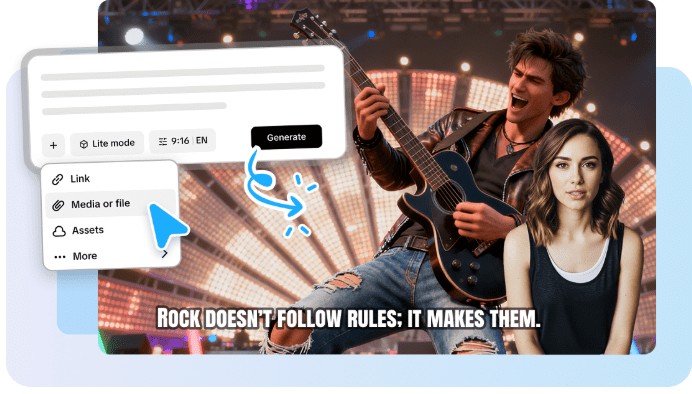
Today, modern tools like an AI video generator make it possible to create professional videos quickly and easily. These tools use artificial intelligence to automate many parts of the video creation process, allowing anyone to produce high-quality videos without advanced editing skills.
In this step-by-step guide, you will learn how to create professional videos using an AI-powered tool.
What Is an AI Video Generator?
An AI video generator is a software platform that uses artificial intelligence to automatically create videos from text, images, or simple prompts. Instead of recording footage and manually editing clips, users can input a script, and the AI tool will generate visuals, voiceovers, animations, and transitions.
Many AI video platforms offer features such as:
- Text-to-video conversion
- AI voice narration
- Automatic subtitles
- Pre-designed video templates
- Stock images and video clips
These features help users create engaging videos much faster than traditional editing methods.
Step 1: Define Your Video Goal
Before creating your video, it is important to decide what you want to achieve. Clear goals help guide the content and structure of your video.
Some common video goals include:
- Promoting a product or service
- Educating customers
- Creating social media content
- Explaining a complex topic
- Building brand awareness
Understanding your goal ensures that your video message stays focused and effective.
Step 2: Write a Simple Script
A well-written script is the foundation of any successful video. Even though AI tools automate the visual creation process, they still rely on your script to generate the video scenes.
Your script should:
- Be clear and concise
- Focus on one main message
- Use simple language
- Include a strong introduction and conclusion
For example, if you are creating a marketing video, start with a problem your audience faces and then introduce your solution.
Step 3: Choose the Right AI Video Platform
There are many AI video creation platforms available today, each offering different features. When selecting a tool, consider factors such as:
- Available templates
- Voiceover options
- Customization features
- Video quality
- Export formats
Choose a platform that matches your needs and skill level. Many tools are designed specifically for beginners and offer easy drag-and-drop interfaces.
Step 4: Select a Video Template
Most AI video platforms offer a variety of pre-designed templates. These templates help users create professional-looking videos without designing everything from scratch.
Templates may include styles such as:
- Marketing videos
- Social media videos
- Educational content
- Product demonstrations
- Explainer videos
Selecting the right template ensures that your video layout and structure look polished and engaging.
Step 5: Add Your Script to the Video Generator
Once you select a template, the next step is to input your script. The AI system will analyze your text and automatically generate scenes based on your content.
The platform may:
- Add relevant visuals
- Create scene transitions
- Generate AI voice narration
- Suggest background music
Many tools allow you to review and edit each scene to ensure the visuals match your message.
Step 6: Customize Your Video
Although AI tools automate much of the process, you can still customize your video to match your brand identity.
Some customization options include:
- Changing images or video clips
- Adjusting colors and fonts
- Adding your company logo
- Editing the voiceover
- Including background music
These adjustments help make the video unique and consistent with your brand style.
Step 7: Add Subtitles and Captions
Subtitles are important for improving accessibility and engagement. Many viewers watch videos without sound, especially on social media platforms.
Most AI tools automatically generate captions based on your script. However, it is always a good idea to review them to ensure accuracy.
Subtitles can also help improve viewer retention and make your content easier to understand.
Step 8: Preview and Edit the Video
Before exporting your video, take time to preview the final result. Check for any errors in text, timing, or visuals.
Look for things like:
- Correct spelling and grammar
- Smooth transitions between scenes
- Clear voice narration
- Balanced background music
If necessary, make adjustments until the video meets your expectations.
Step 9: Export and Share Your Video
Once you are satisfied with the final version, export your video in the desired format. Most platforms allow users to download videos in high resolution or share them directly to social media platforms.
You can publish your video on:
- YouTube
- Company websites
Sharing your video across multiple channels helps maximize its reach and impact.
Benefits of Using AI for Video Creation
Using AI-powered tools offers several advantages compared to traditional video production.
Some of the main benefits include:
- Faster video creation
- Lower production costs
- No need for advanced editing skills
- Access to built-in templates and media
- Easy scalability for content marketing
These benefits make AI tools especially valuable for businesses, marketers, and content creators.
Conclusion
Creating professional videos no longer requires expensive equipment or advanced editing knowledge. With the help of an AI video generator, anyone can produce high-quality video content quickly and efficiently.
By following a clear step-by-step process—defining your goal, writing a script, choosing a template, customizing your content, and exporting the final video—you can create engaging videos that capture your audience’s attention.
As artificial intelligence continues to evolve, AI-powered video creation tools will become even more powerful, making professional video production accessible to everyone.